
.png)
Description
Download Wordly AI Translation – AI‑powered multilingual translation tool
Overview
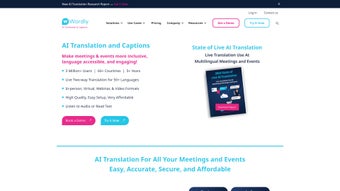
Wordly AI Translation is a next‑generation, AI‑driven software solution that turns language barriers into a thing of the past. Built for both in‑person and virtual environments, Wordly offers real‑time audio translation, live captions, subtitles, and accurate transcription for meetings, webinars, conferences, and on‑demand video content. Whether you are hosting a “one‑to‑many” presentation where a single speaker addresses a global audience, or a “many‑to‑many” roundtable with participants speaking different languages, Wordly’s simultaneous two‑way translation engine delivers seamless communication. The platform integrates natively with popular collaboration hubs such as Zoom, Microsoft Teams, and Cvent, making deployment quick and hassle‑free. Security‑first design principles protect translation data with end‑to‑end encryption and strict database safeguards, while a continuous language‑testing pipeline guarantees high‑quality, context‑aware outputs. In short, Wordly AI Translation is the all‑in‑one tool that empowers event organizers, educators, and businesses to engage audiences in their preferred language, boosting inclusivity, comprehension, and overall event impact.
Core Features that Power Multilingual Experiences
- Real‑time Audio Translation: Instantly converts spoken words into the listener’s chosen language with sub‑second latency, supporting over 80 languages and dialects.
- Live Captions & Subtitles: Generates same‑language captions for accessibility and multilingual subtitles for video recordings, ensuring compliance with ADA and global standards.
- Two‑Way Simultaneous Translation: Enables “many‑to‑many” conversations where every participant hears and speaks in their native language, perfect for panel discussions and collaborative workshops.
- AI‑Enhanced Accuracy: Combines rule‑based, statistical machine, and neural machine translation models, continuously refined through crowdsourced validation and domain‑specific training.
- Platform Integration: Native plugins for Zoom, Microsoft Teams, Cisco Webex, and Cvent allow one‑click activation without leaving your preferred meeting environment.
- Secure Data Handling: End‑to‑end encryption, GDPR‑compliant storage, and isolated language models keep your conversation data private and protected.
- Post‑Event Asset Generation: Automatically creates transcript files, subtitle tracks, and translated video versions ready for distribution on YouTube, Vimeo, or corporate LMS platforms.
- Customizable UI & Branding: White‑label options let you embed Wordly’s translation window with your own logo, colors, and language selection menu.
Beyond the headline capabilities, Wordly AI Translation offers a suite of ancillary tools that enhance the overall user experience. For instance, the “Language Preference Center” lets attendees pre‑select their desired language before an event begins, reducing on‑the‑fly configuration time. The platform also supports “translation memory” which stores frequently used phrases, ensuring consistent terminology across repeated sessions—critical for technical or regulated industries. Moreover, Wordly’s analytics dashboard provides real‑time insights into language usage, translation latency, and participant engagement, enabling organizers to fine‑tune future events based on concrete data. All these features are delivered through a cloud‑native architecture, guaranteeing high availability, automatic updates, and scalability to accommodate audiences ranging from a handful of participants to tens of thousands.
Installation & Usage Guide – From Download to Live Event
Step‑by‑Step Installation
Getting started with Wordly AI Translation is straightforward, regardless of whether you are a tech‑savvy administrator or a first‑time user. Follow these steps to download and install the application:
- Create an Account: Visit the official Wordly website, click “Sign Up,” and complete the registration form using your corporate email. Verification is sent instantly.
- Select a Plan: Choose a subscription tier that matches your event frequency and participant volume. All plans include a 14‑day free trial with full feature access.
- Download the Client: After purchase, you’ll be redirected to the download page. Choose the appropriate installer for your operating system (Windows, macOS, Linux, iOS, or Android).
- Run the Installer: Execute the downloaded file and follow the on‑screen prompts. The installer will automatically configure required services, such as the local audio capture driver and secure socket connection.
- Connect to Your Platform: Launch the Wordly dashboard, navigate to “Integrations,” and enable the plug‑in for Zoom, Teams, or Cvent. Authentication is handled via OAuth, so no manual API keys are required.
- Test the Setup: Use the “Live Test” feature to simulate a short translation session. Choose a source language, a target language, and speak a few sentences. Verify that the audio output and captions appear correctly.
Running a Live Translation Session
Once installation is complete, you can start using Wordly for real events. Here’s a typical workflow:
- Pre‑Event Preparation: Upload your agenda to the Wordly portal and assign language preferences for each speaker. Enable “Automatic Subtitle Generation” for any pre‑recorded video that will be streamed.
- Start the Meeting: When your Zoom or Teams call begins, click the “Start Wordly” button within the meeting controls. The translation engine will join the call as a virtual participant.
- Select Languages: Attendees can open the Wordly overlay and pick their preferred language from a dropdown list. The UI supports up to 10 simultaneous languages per session.
- Monitor Quality: The Wordly dashboard displays live metrics such as translation latency (average 800 ms) and confidence scores. If a phrase falls below the confidence threshold, the system flags it for manual review.
- Post‑Event Export: After the session, navigate to “Assets” in the dashboard to download transcripts, subtitle files (SRT, VTT), and translated video versions. These can be uploaded directly to your LMS or website.
Best practices include running a short “dry‑run” with a bilingual colleague to ensure microphone levels are optimal and confirming that all participants have the latest version of the Wordly client. Because the platform is cloud‑based, updates are applied automatically without any user intervention, keeping your translation models current and secure.
Compatibility, Pros & Cons, and Frequently Asked Questions
Operating System Compatibility
Wordly AI Translation supports a broad range of operating systems, ensuring that teams can work on the devices they already own:
- Windows 10/11 (64‑bit)
- macOS 12 Monterey and later
- Linux distributions with glibc 2.28+
- iOS 14+ (iPhone & iPad)
- Android 9+ (Smartphones & Tablets)
The mobile apps provide the same real‑time translation capabilities as the desktop client, making it possible to host hybrid events where some speakers join from a tablet while others use a laptop. All versions share a unified cloud backend, guaranteeing consistent performance and language quality across platforms.
Pros and Cons
- Pros
- High‑accuracy AI translation across 80+ languages.
- Zero‑latency audio output suitable for live speaking.
- Seamless integration with major video‑conferencing tools.
- Robust security with end‑to‑end encryption and GDPR compliance.
- Automatic generation of transcripts, subtitles, and translated videos.
- Scalable cloud architecture that handles small workshops to large conferences.
- Cons
- Premium pricing may be a barrier for small NGOs or solo entrepreneurs.
- Initial learning curve for administrators unfamiliar with AI‑driven settings.
- Internet bandwidth requirements are higher for optimal real‑time performance.
- Some niche dialects are still in beta and may exhibit occasional inaccuracies.
FAQ – Your Wordly AI Translation Questions Answered
How secure is my data when using Wordly?
Wordly encrypts all audio streams and translation data in transit using TLS 1.3 and stores any persistent records in an AES‑256 encrypted database. The platform complies with GDPR, CCPA, and ISO 27001 standards, and you can opt for a dedicated data‑ residency region if required.
Can I use Wordly offline?
Because Wordly’s translation models are hosted in the cloud, an active internet connection is required for real‑time processing. However, you can download completed transcripts and subtitles for offline distribution after the event.
What is the latency of the live translation?
Wordly achieves an average end‑to‑end latency of 800 milliseconds, which is imperceptible to most listeners and suitable for fast‑paced discussions.
Does Wordly support right‑to‑left languages like Arabic or Hebrew?
Yes. Wordly’s UI automatically adjusts for RTL scripts, and the translation engine provides full support for Arabic, Hebrew, Persian, and other right‑to‑left languages.
How many participants can join a simultaneous translation session?
The cloud infrastructure scales on demand, allowing up to 10,000 concurrent listeners with a maximum of 12 simultaneous language streams per session. Larger events can request a custom capacity plan.
Conclusion – Unlock Global Communication with Wordly AI Translation
In today’s hyper‑connected world, the ability to speak the language of every participant isn’t a luxury—it’s a competitive necessity. Wordly AI Translation delivers a polished, secure, and highly accurate solution that bridges linguistic gaps in real time, whether you’re hosting a corporate town‑hall, a university lecture, or a global product launch. The platform’s deep integration with Zoom, Teams, and Cvent removes technical friction, while its AI‑driven translation engine ensures that meaning is preserved across cultures. Although the pricing structure reflects the premium nature of the service, the return on investment manifests in higher attendee satisfaction, broader market reach, and compliance with accessibility regulations. If you’re ready to transform your events into truly inclusive experiences, download Wordly AI Translation today, start your free trial, and watch language become the bridge—not the barrier.
Download Wordly AI Translation now and empower every voice in your organization to be heard, understood, and valued.
Guides & Tutorials for Wordly AI Translation
How to install Wordly AI Translation
- Click the Preview / Download button above.
- Once redirected, accept the terms and click Install.
- Wait for the Wordly AI Translation download to finish on your device.
How to use Wordly AI Translation
This software is primarily used for its core features described above. Open the app after installation to explore its capabilities.
User Reviews for Wordly AI Translation 0
No reviews found




